
- Your domain is a company asset; register it in the company’s name and under your own account.
- Choose a short name that’s easy to say and spell, and reserve the important extensions.
- Official email (name@company.com) raises trust compared with free email.
- Set up SPF, DKIM and DMARC records so your messages don’t go to spam.
- Enable auto-renewal and two-step verification.
A professional quotation sent from mohamed.company2020@gmail.com loses half its impact before it’s even opened. Worse still: a company website whose domain is registered in the name of a designer who left years ago, so the owner can’t renew or transfer it. Domains and email are small foundations, but sensitive ones, and this is our guide to setting them up correctly from day one.
Choosing the domain
- Short and simple: spelt the way it’s said, without lots of hyphens or numbers.
- Tied to the business name, not to a single service that might change.
- The right extension for your market:
| Extension | Suits | Notes |
|---|---|---|
| .com | The best known worldwide | Reserve it if available, to protect the name |
| .sa / .com.sa | Saudi companies | Strengthens local identity, with its own registration requirements |
| .com.eg / .eg | Egyptian companies | Requires documents to register |
| New extensions (.tech, .store) | Products and stores | Less familiar to the general public |
Ownership — the most important point
- Register the domain in the company’s name, with an email address you control.
- Keep the login details for the registrar account.
- Enable auto-renewal and the transfer lock.
- Enable two-step verification on the registrar account.
When working with any agency — including us — insist that the domain is yours. Read questions for choosing a design company.
Official email
| Option | Advantages | Suits |
|---|---|---|
| Google Workspace | Gmail’s familiar interface, Drive, Meet, high reliability | Most companies |
| Microsoft 365 | Outlook, Teams, Office, enterprise integration | Companies that rely on Office and Teams |
| Hosting email | Low cost, included with hosting | A small number of accounts and simple use |
Making sure your messages reach the inbox
- SPF: specifies the servers allowed to send on behalf of your domain.
- DKIM: a digital signature proving the message hasn’t been altered.
- DMARC: a policy telling the recipient what to do with unauthenticated messages, plus reports on spoofing attempts.
- Send website messages (forms) through authenticated SMTP, not directly from the web server.
Professional details
- Role addresses — sales@, info@, support@ — alongside personal names.
- A consistent, on-brand email signature with the logo, phone number and website.
- Migrating old email when moving to a new provider.
- A password policy and two-step verification for staff.
Extra domains to protect your brand
After registering your main domain, consider registering close variants that protect your brand: the .com and .sa versions (if you meet the conditions), .com.eg or .net depending on your markets, and common misspellings of your name. Redirect them to your main website. This stops competitors or fraudsters using them, and makes sure people who type your name differently still reach you. You don’t need every extension; focus on what your audience expects and what could be exploited.
Auto-renewal and the risk of an expired domain
One of the worst situations a company can face: its domain registration expires because the payment card expired, or because reminder emails go to the inbox of an employee who has left. The website and email stop together, and someone else may register the domain once the grace period ends. Prevention: auto-renewal for several years, up-to-date payment details, an alert address that reaches more than one person in management, and the date recorded in the company calendar. Remember that some national extensions have their own renewal conditions and procedures.
Email and security
Official email is the company’s most targeted tool: phishing messages impersonating the bank, a supplier or the boss, and attempts to steal passwords. Make two-factor authentication mandatory for every account, train the team to recognise phishing, and set a clear rule: any request to transfer money or change bank details is verified by phone on a known number, never by replying to the email. And configure DMARC to stop your domain being spoofed. Read our SPF, DKIM and DMARC guide.
Choosing an email platform
Hosting email suits very small beginnings, while Google Workspace and Microsoft 365 offer far greater reliability, security and collaboration tools. Choosing between them depends on your team’s tools and way of working. Read Google Workspace or Microsoft 365.
From our work
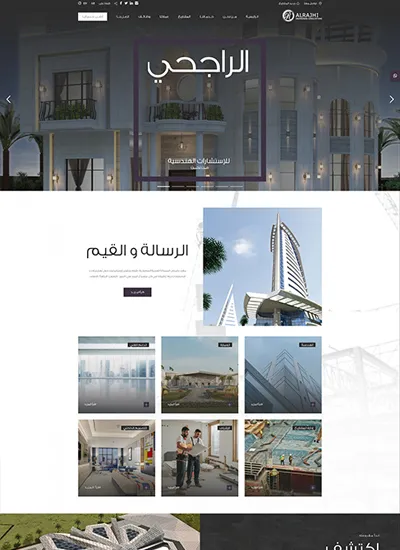
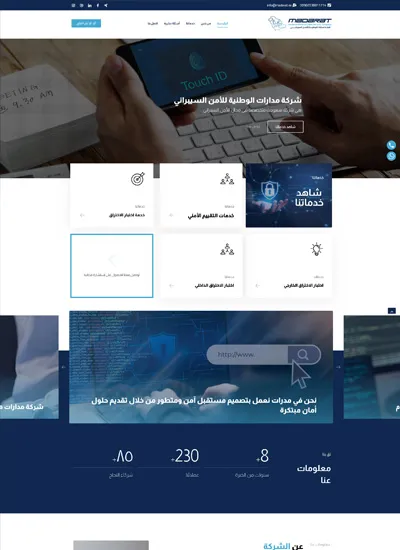
Domains and official email are a standard part of the digital identity projects we deliver, as with Madarat and Maad Al Jazeera: we register everything in the client’s name, configure authentication and design consistent signatures. Explore our hosting and business email service.
A consistent signature
The email signature appears in every message every employee sends — thousands of times a month. Keep it simple and professional: name and job title, the company name and a small, lightweight logo, phone number, website and perhaps a LinkedIn link. Avoid heavy images, long quotations and lots of colours. Standardise it for all staff with a central template, and make sure it displays well on mobile and in dark mode. Read visual consistency.
Shared email addresses
Create shared addresses such as info, sales, support and careers as groups that reach more than one person, rather than accounts with a password everyone shares. That way messages aren’t lost when an employee is away, and the address stays the same however the team changes.
Common domain and email mistakes
- Registering the domain in the developer’s or an employee’s name.
- Not enabling auto-renewal.
- Email on the same weak server as the website, so it goes down with it.
- Missing SPF, DKIM and DMARC records.
- Shared accounts with a single password.
- No plan for a departing employee’s mailbox.
Each of these mistakes is easy to fix today, and very expensive if it’s discovered in a crisis.
Domains and SEO
The domain name itself isn’t a big ranking factor today; keyword-stuffed domains such as “best-web-design-riyadh.com” don’t automatically win and can look less professional. Choose a domain in your brand’s name — short, easy to say and spell, with an extension your audience trusts. And if you ever change domain, plan the redirects carefully so you don’t lose the visibility you’ve built. Read moving your website without losing SEO.
Email on mobile
Most employees read email on their phones. Set up official email on devices using the platform’s official apps, with two-factor authentication and a device lock, and a clear policy for what happens when a phone is lost or an employee leaves (remote account removal). And check that the signature displays properly on mobile.
The practical summary
A domain in your brand’s name, registered to your company with auto-renewal; official email on a reliable platform separate from the website server; full authentication; consistent signatures; two-factor authentication; and a policy for departures. This simple foundation protects your name and your correspondence and strengthens your image in every message. It’s a small investment — review your settings at least once a year.
Frequently asked questions
Can my old email be moved to the new platform? Yes, using the official migration tools and planning the timing of the record changes.
How many email accounts do I need? One for each employee who communicates externally, with shared addresses as groups.
Is a .sa domain essential? Not essential, but it’s a strong local signal if you meet its registration conditions. Read entering the Saudi market.
Email and your digital identity
Official email isn’t just a technical tool but part of a complete digital identity: an address on your domain carrying your name, a signature in your identity, messages that arrive reliably, and reply templates that reinforce your tone. That’s why we always include it in identity projects rather than leaving it for later. Read the complete digital identity.
Start by checking who owns your domain today, when its registration expires, and whether your email records are set up correctly. Those three answers tell you a lot about the state of your digital assets. And make official email a habit for every employee from their first day, because every message sent in your name builds your image or erodes it.
The bottom line
The domain in your name, email in your company’s name, and the records configured correctly — three steps that build your professionalism and protect your digital assets. Also read our guide to choosing web hosting.
Real projects we delivered

FAQ
Should I choose .com or .sa?
If your main market is Saudi Arabia, a .sa or .com.sa extension strengthens your local identity; it’s also wise to reserve the .com if it’s available, to protect the name.
What’s the difference between Google Workspace and hosting email?
Workspace and Microsoft 365 offer high reliability, collaboration apps and plenty of storage on a per-user subscription; hosting email is cheaper but more basic and can be affected by server performance.
Why do my emails go to spam?
Usually because SPF, DKIM and DMARC records are missing or wrong, because of the sending server’s reputation, or because the content looks like unsolicited marketing.
Sources

Written from 20+ years designing websites and identities for clients in Saudi Arabia and Egypt — every tip here comes from real projects.
Want this applied to your project?
Book a free consultation — we will review your site or brand and propose a clear plan.
Book a free consultation