
- SSL/TLS encrypts data between the visitor and your website, preventing eavesdropping and tampering.
- Browsers show a “Not secure” warning for any website without HTTPS, especially on form and payment pages.
- Google treats HTTPS as a ranking signal, and it’s a requirement for many modern browser features.
- A free Let's Encrypt certificate is enough for most websites; paid certificates add organisation validation and a warranty.
- After enabling it: redirect every HTTP URL to HTTPS with a 301 and fix “mixed content”.
When a potential customer visits your company’s website and sees the words “Not secure” beside the address, they read one message: this company doesn’t care about protecting my data. That message alone is enough to make them close the page before filling in the contact form. The fix is simple and inexpensive, and it’s called an SSL certificate.
What is an SSL certificate?
SSL (and its modern successor, TLS) is a protocol that encrypts the connection between the visitor’s browser and your website’s server. The certificate itself is a digital file proving that this server genuinely owns a domain such as creative.com.eg, issued by a trusted Certificate Authority. When the certificate is active, your website address starts with https:// and the padlock icon appears.
How does it work, in brief?
- The browser asks to connect to your website.
- The server sends its certificate and public key.
- The browser checks the certificate against trusted authorities and confirms it’s valid.
- The two sides agree on a temporary encryption key, and from then on all exchanged data is encrypted.
All of this happens in fractions of a second without the visitor noticing.
Why does your company website need an SSL certificate?
Protecting customer data
Contact forms and quote requests transmit names, mobile numbers and email addresses. Without encryption, this data can be intercepted on public Wi-Fi networks. In online stores, encryption is a basic requirement for any payment gateway.
Trust and conversion
Modern browsers (Chrome, Safari and Edge) display a clear warning on unencrypted pages, especially when someone types into a form field. That warning noticeably reduces the rate at which forms are submitted.
Google rankings
Google has announced that HTTPS is a ranking signal. Although it’s a light signal, it’s part of “page experience”, and when competing for keywords such as “web design company in Riyadh”, every signal counts.
A requirement for modern technology
The faster HTTP/2 protocol, location services, notifications and progressive web apps (PWA) all require HTTPS. In other words, the certificate makes your website faster too.
Types of SSL certificate: which suits you?
| Type | Validation level | Suits | Approximate cost |
|---|---|---|---|
| DV — Domain Validation | Domain ownership only | Company websites, blogs and most small stores | Free (Let’s Encrypt) or nominal |
| OV — Organisation Validation | Domain + official company details | Large companies and organisations that want to prove their identity | Moderate per year |
| EV — Extended Validation | Detailed legal verification | Banks and financial institutions | High |
| Wildcard | DV or OV for all subdomains | Anyone with shop.example.com and blog.example.com | Higher than standard |
For the vast majority of the company websites we design, a free DV certificate is enough, provided it renews automatically.
Steps to enable SSL on a WordPress website
- Enable the certificate from your hosting panel (cPanel or your managed hosting dashboard) — most good hosts offer Let’s Encrypt in one click.
- Change the site address in WordPress settings to https.
- Add a 301 redirect from every http URL to https at server level, so visitors and Google always reach the secure version.
- Fix mixed content: search the database for old image links starting with http and replace them.
- Update Google Search Console and make sure the sitemap contains https URLs.
- Enable HSTS once you’re sure everything works, to force browsers to always use the secure connection.
- Test the set-up with SSL Labs and aim for an A rating.
Common mistakes after installing the certificate
- The certificate expiring without renewal: visitors see a red warning that all but blocks access. Make sure renewal is automatic.
- The certificate covers example.com but not www.example.com, or vice versa.
- Two versions of the website indexed (http and https) because the 301 redirect is missing.
- Outdated plugins loading files from unencrypted sources.
SSL alone isn’t enough: the other layers of security
The certificate protects data in transit, but it doesn’t protect the website from weak passwords or compromised plugins. For complete protection, read our guide to securing a WordPress website and our guide to choosing the right hosting.
SSL, SEO and trust
Google treats HTTPS as a ranking signal, and modern browsers show a “Not secure” warning on unencrypted pages, especially those containing forms. That warning alone can make a visitor leave before reading a line, or hesitate to send their details through the contact form. So a certificate has become a basic requirement for any website, not an optional extra.
Free or paid certificates?
Free certificates such as Let’s Encrypt provide the same level of connection encryption, are enough for most company websites, blogs and small stores, and renew automatically on most hosting. Paid certificates offer higher levels of organisation identity validation, financial warranties and support, and some organisations and financial institutions may prefer them. The decision depends on the requirements of your sector and customers, not on the level of encryption.
Automatic renewal and expiry monitoring
One of the most common causes of sudden warnings is a certificate expiring without renewal. Make sure automatic renewal works, and add monitoring that alerts you weeks before expiry, especially for subdomains and paid certificates that need manual renewal. Read website monitoring.
SSL, email and subdomains
Don’t forget that subdomains (such as shop or portal) need certificates too — either one per subdomain or a wildcard certificate covering them all. Email services and internal systems linked to your domain must also run on valid certificates, so staff and customers don’t see warnings.
From our work
Every website we deliver runs on an SSL certificate with a complete switch to HTTPS, and renewal monitoring as part of our hosting service. Also read CDN and protection.
Frequently asked questions
Does SSL protect my website from hacking? No, it only protects data in transit between the browser and the server. Protecting the website itself needs updates, a firewall and backups. Read WordPress security.
Why does “Not secure” appear even with a certificate? Usually because of mixed content: images or files loaded over http. Fix the links so they use https.
Is a free certificate less secure? Not in terms of encryption; the difference is in the level of identity validation and the warranties.
SSL, stores and forms
If your website collects any data (a contact form, registration, an order, payment), encryption isn’t optional: it’s the minimum for protecting your customers’ data under data protection regulations, and a basic requirement for payment gateways. A store that shows a security warning on its checkout page loses the order on the spot. Read payment gateways.
The practical summary
Enable SSL on every domain and subdomain, redirect all traffic to HTTPS, fix mixed content, make sure renewal is automatic, and remember that the certificate is one layer within a larger security system. Simple steps that protect your customers, their trust and your search rankings.
Our work with certificates
Every website we deliver runs on an SSL certificate covering the domain and subdomains, with a complete switch to HTTPS, mixed content fixed and renewal dates monitored as part of our hosting service — because a single security warning on a contact or checkout page can cost you customers you never knew had left. Don’t put it off; on most modern hosting it takes minutes. Check your certificate’s status now in your browser’s address bar.
The bottom line
An SSL certificate is a small investment that protects your customers, raises their trust and improves your visibility on Google. If your website shows “Not secure”, or you’d like its set-up reviewed, get in touch and we’ll check it for free.
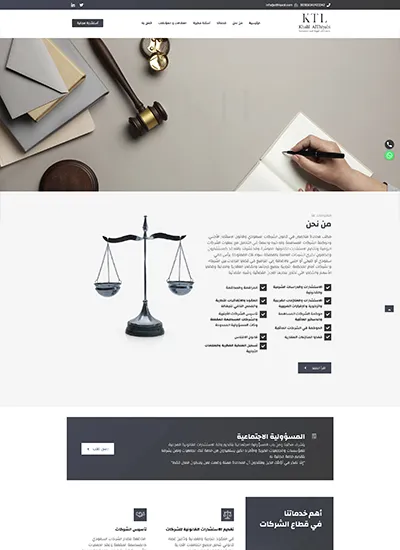
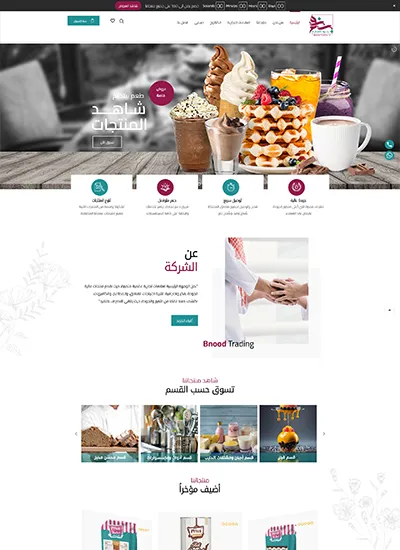
Real projects we delivered

FAQ
Is a free SSL certificate secure?
Yes. Let's Encrypt certificates use the same encryption strength as paid certificates. The difference is in the level of organisation validation, the warranty and support, not the strength of the encryption.
How long does an SSL certificate last?
Free Let's Encrypt certificates are valid for 90 days and renew automatically on most hosting; paid certificates are usually issued for a year and need renewing.
Why does my website show as not secure even with a certificate?
Usually because of “mixed content”: images or files loaded over http inside an https page, or because the certificate has expired or doesn’t cover the www subdomain.
Do I need SSL if my website isn’t a store?
Yes. Any contact form transmits a name, number and email, browsers warn about every unencrypted website, and Google prefers HTTPS.
Sources

Written from 20+ years designing websites and identities for clients in Saudi Arabia and Egypt — every tip here comes from real projects.
Want this applied to your project?
Book a free consultation — we will review your site or brand and propose a clear plan.
Book a free consultation