
- WhatsApp is a preferred contact channel for a large share of customers in the region.
- Use a WhatsApp Business account with a complete profile, a catalogue and quick replies.
- Put a visible WhatsApp button on your website with a pre-filled message naming the service.
- Don’t send bulk messages without customers’ consent, and follow WhatsApp’s policies.
- Measure the number of conversations coming from your website and ads.
A customer looks at your website on their phone, hesitates to fill in a form, but taps the WhatsApp button straight away. In markets such as Saudi Arabia and Egypt, that moment is where most sales begin in many sectors. The question is: are your conversations organised enough to close the deal?
Set up the business account
- The business name and logo, in line with your identity.
- A short description, opening hours, address and website link.
- The catalogue: your services or products with photos and prices, or “from” prices.
- A greeting message and an away message.
- Quick replies for frequent questions (prices, timings, location).
- Labels for conversations: new, quote sent, contracted.
Link it to your website
- A sticky WhatsApp button on mobile — as on this website (the bottom bar).
- A pre-filled message for each page: “I’d like a quote for an online store.”
- A button on every service page and every article linked to a service.
- Click tracking in Analytics. Read our GA4 guide.
A conversation that sells
- Reply within minutes during working hours.
- Ask two questions that define the need before giving a price.
- Send an example of your work (a link to a similar client’s page).
- Suggest a clear next step: a Zoom meeting, a quote, a visit.
- Follow up politely after two days if there’s no reply.
Bulk messages and compliance
Send offers and updates only to people who have agreed to receive them, and follow WhatsApp’s business policies. Spam gets your number blocked and damages your reputation.
When should you move to the platform (API)?
- More than one employee replying on the same number.
- A large volume of conversations that needs organising and reporting.
- Integration with a CRM or your store for order notifications.
WhatsApp across the whole customer journey
WhatsApp isn’t only a sales channel; it can accompany the customer at every stage. Before purchase: questions about the product or service, and sending the catalogue. During purchase: confirming the order or appointment. After purchase: the tracking number, instructions for use, a review request and after-sales service. And later: a reminder to reorder or of a maintenance appointment, for those who’ve agreed. Every useful, well-timed message builds a relationship; every unrequested promotional message brings you closer to being blocked.
Measuring WhatsApp results
Many companies don’t know how many sales came from WhatsApp. To measure it: use WhatsApp links with a different opening message for each source (website, Instagram, ad), record WhatsApp button clicks as events in Google Analytics, and ask the sales team to note the source of every conversation that became an order. After a month you’ll know which channels bring serious conversations. Read our GA4 guide.
The reply team
If conversations grow beyond what one person can handle, don’t share the same phone between several employees. WhatsApp Business solutions on the platform provide a shared inbox with multiple users, conversation routing and response-time reports. Set reply hours, an automatic message outside them, and ready-made replies to frequent questions that each employee personalises for the customer. Read managing engagement.
Common mistakes
- The owner’s personal number instead of a business account.
- Not replying for hours during working time.
- Bulk messages without consent, leading to reports and blocking.
- No catalogue or basic information on the profile.
- Conversations not linked to the sales system, so follow-up gets lost.
The catalogue and quick replies
The WhatsApp Business catalogue displays your products or services with photos, prices and descriptions inside the app, and you can send a specific item in a conversation with one tap. Keep it updated alongside your store, and use consistent, on-brand photos. Quick replies save a lot of time: shortcuts for the most frequent answers (prices, locations, payment methods, delivery times) that the employee personalises with the customer’s name and details before sending. The greeting and away messages set the customer’s expectations about when they’ll get a reply.
Security and ownership
Register the WhatsApp Business account on a number owned by the company, not an employee, enable two-step verification, and watch out for scams that impersonate support or ask for verification codes. If an employee who managed the account leaves, change whatever is necessary immediately. The number your customers know is a company asset.
WhatsApp and your website together
A WhatsApp button on the website is one of the most powerful conversion tools in the Saudi and Egyptian markets. Make it visible on mobile on every page, with an opening message that varies by page (“I’d like to ask about your website design service”) so your team knows the context of the conversation immediately. That way an interested visitor becomes a sales conversation within seconds.
From our work
In the websites and stores we build, the WhatsApp button is a core part of the design: sticky on mobile, with an opening message that identifies the page the customer came from, and connected to analytics tracking — as on our own website. In social media management, we coordinate the accounts and WhatsApp so conversations reach an outcome. Explore social media management and website design.
WhatsApp is a channel that sits very close to the customer, which is both its strength and its responsibility: use it to provide fast, useful service, respect the customer’s privacy and time, and you’ll find it’s one of the highest-converting channels in your business.
The practical summary
A business account on the company’s number, a complete profile with a catalogue, a visible button on the website and social accounts, personalised quick replies, bulk messages only with consent, measurement of conversation sources, and a move to the platform when volume grows. Seven steps that turn WhatsApp from random chat into an organised sales and service channel.
Examples of good messages
Greeting message: “Welcome to [company name] — we’re happy to help. Tell us how we can help and we’ll reply within minutes during working hours (Sunday to Thursday, 9 am – 6 pm).”
Away message: “Thanks for getting in touch. We’re outside working hours right now and will reply tomorrow morning. For quick orders, you can visit [website link].”
Post-order follow-up: “Your order no. X is on its way. Tracking number: X. We hope you love it.”
Short, friendly, clear messages that set expectations and carry your brand’s tone.
WhatsApp and privacy
Customer conversations may contain personal and sometimes sensitive data: addresses, order numbers, photos, and health information in clinics. Decide who can see these conversations, don’t move them to personal devices or informal groups, delete what you don’t need under a clear policy, and ask for consent before adding a customer to message lists. These practices protect the customer and protect you from violations, and they strengthen trust in your closest channel to customers. Read data protection.
Start today by reviewing your account profile, greeting message and website button — three steps that take an hour and change the experience of every customer who messages you. Then build on them gradually: the catalogue, quick replies, measurement, and finally the platform when volume grows.
Frequently asked questions
Can WhatsApp be connected to the website and a CRM? Yes, through platform solutions and integrations, especially as conversation volume grows.
Should I use the WhatsApp Business app or the platform? The app is enough to start with; the platform is for large teams and automation.
Should I send offers to all customers? Only to those who have explicitly agreed, with an easy way to unsubscribe.
A fast, respectful conversation is the best advert for your company, because customers tell others about it and come back to it for their next order. Make every reply reflect your company’s genuine care for its customers; that’s what people remember.
The bottom line
WhatsApp isn’t just a chat app; it’s a sales channel that needs organisation, a voice and an identity. Link it properly to your website, and measure its effect. Read turning visitors into customers.
Real projects we delivered
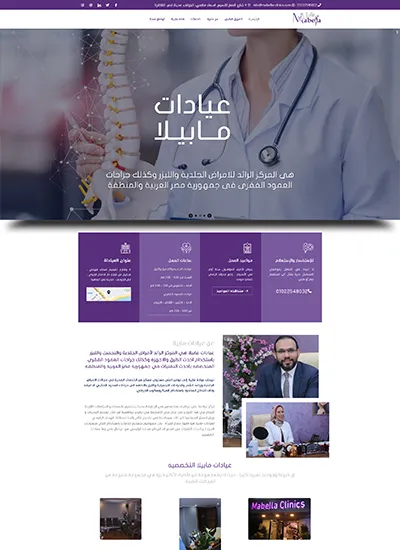
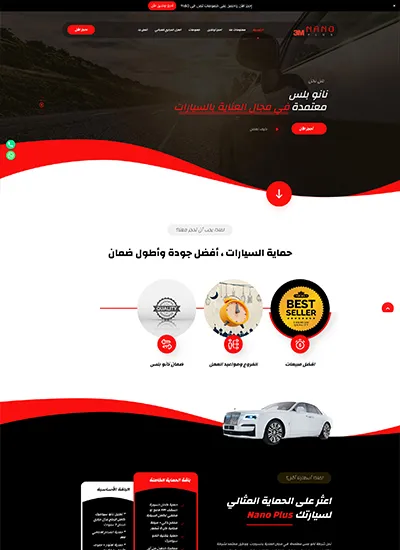
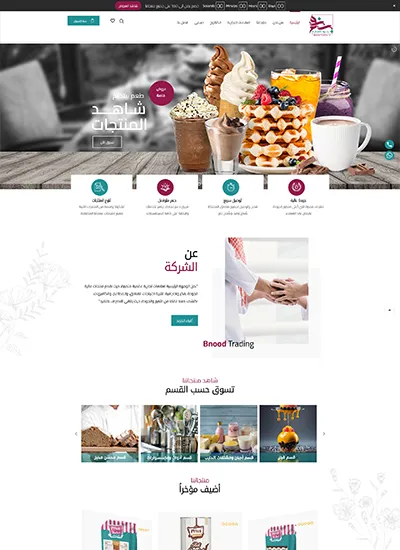
FAQ
What’s the difference between WhatsApp Business and the WhatsApp Business Platform (API)?
The app suits small businesses using one or a few devices; the platform (API) is for larger companies that need several agents, integration with systems, automated replies and automated messages.
Can I send offers to all my customers?
Only to those who have agreed to receive your messages, and in line with WhatsApp’s policies and the approved message templates on the platform.
How do I know a conversation came from the website?
Use a different pre-filled message for each page, and track clicks on the WhatsApp button as an event in Analytics.

Written from 20+ years designing websites and identities for clients in Saudi Arabia and Egypt — every tip here comes from real projects.
Want this applied to your project?
Book a free consultation — we will review your site or brand and propose a clear plan.
Book a free consultation