
- Donors and funders look for transparency and impact before anything else.
- A unified identity makes a small association look institutional and sustainable.
- The website must present programmes, impact, reports and governance clearly.
- Real beneficiary stories (with consent) are stronger than figures alone.
- Easy donation and volunteering channels on mobile raise participation.
Imagine a donor who heard about your association from a friend, or a CSR manager at a large company looking for a partner for an annual programme. The first thing they will do is search for the association’s name. If they find an organised website showing the licence, programmes, reports and impact stories, plus active accounts with a unified identity, the association is halfway to earning their trust. If they find an old page, scattered photos and a logo in several versions, they will hesitate — however great the association’s work on the ground.
The non-profit sector in Saudi Arabia is growing and becoming more regulated under the goals of Vision 2030, and with that, donors’ and partners’ expectations of governance, transparency and impact measurement have risen. A digital identity is no longer “cosmetic” for associations; it is an essential tool for sustaining resources. In this guide we explain the components of that identity and how an association can build it on a limited budget.
Who watches your association digitally?
| Audience | What they look for | Where they find it |
|---|---|---|
| Individual donors | Trust, easy giving, the impact of their donation | The website, social media, the donation page |
| Funders and companies | Governance, reports, delivery capacity | The governance page, reports, the profile |
| Beneficiaries | Programmes, eligibility, how to register | Programme pages, registration forms |
| Volunteers | Available opportunities, how to join | The volunteering page, social media |
| Official bodies and media | Official data, news, contacts | The media centre, the contact page |
Each audience needs a clear path through the website. The biggest mistake we see is a site that addresses everyone with the same page, so no one finds what they want.
1. Visual identity: institutional without losing warmth
An association needs a delicate balance: looking institutional and organised to funders, and warm and human to the community. A successful identity achieves this through:
- A clear logo that expresses the association’s mission and works in one colour and at small sizes.
- Colours that reflect the field of work (health, education, sport, family) without exaggeration. Read colour psychology.
- A real photographic style that respects beneficiaries’ dignity: no clichéd stock images, no faces without consent.
- Ready templates for posts, reports and certificates, because the association’s team is usually small and needs speed.
- Sub-identities for programmes that belong to the parent identity, so each programme doesn’t become a separate brand.
2. The website: pages you can’t do without
| Page | Content |
|---|---|
| About the association | Vision, mission and values, the story, geographic scope |
| Governance and transparency | Licence, board, bylaws and policies, annual and financial reports |
| Programmes and projects | A page per programme: goal, target group, impact, partners |
| Impact | Documented figures and beneficiary stories with consent |
| Donate now | Ways to give, approved channels, receipts |
| Volunteer | Opportunities, sign-up form, what volunteers gain |
| Partners | Logos of partners and supporters, with permission |
| Media centre | News, photos, press kit |
For the technical and design details, read charity website design.
3. Transparency as a design element
Transparency isn’t achieved by dropping a PDF into a corner of the site. Make it visible: a “Governance” link in the main menu, a visual summary of the annual report on the home page, and impact figures updated with a clear date. Above all, the figures must be verifiable and consistent with official reports; exaggeration does more harm than good.
4. Social media: regular activity that tells the impact story
The association’s accounts are its daily window. What usually works:
- A monthly content calendar covering programmes, occasions, impact stories and thanks to supporters.
- Designs made from unified templates in the association’s identity.
- Short videos from the field rather than only static designs.
- Fast replies to enquiries, especially beneficiaries’ questions.
If the association has no dedicated team, it can use a social media management service. Read social media and your brand identity.
5. Donating and volunteering on mobile
Most donors browse on their phones, often in a moment of being moved by a post or a message. If donating takes more than a minute or many steps, the moment is lost. Keep the donate button visible on every page, reduce the fields, show the usual payment methods, and send an instant thank-you and receipt. The same principle applies to the volunteer form.
6. Free or discounted tools for associations
Some technology companies run special programmes for eligible non-profit organisations, such as Google for Nonprofits and the Google Ad Grants advertising programme, with eligibility conditions that vary by country. Check each programme’s official terms before planning around it; they can save the association part of its email and advertising costs.
Common mistakes in associations’ digital presence
- A site that is never updated: a latest news item from two years ago suggests the association has stopped working.
- Beneficiary photos without consent: an ethical and legal risk that harms reputation.
- Multiple logos: each programme with its own logo until people no longer know who is behind it.
- Buried reports: files that are hard to reach or out of date.
- Relying on personal accounts: the association’s accounts registered to individuals’ phones or emails who may leave.
- Free email: weakens trust in correspondence with funders. Read domains and business email.
How to tell the impact story convincingly
Impact is what funders are really looking for, yet it is the hardest thing for associations to write. Many reports stop at activity figures: “we ran 40 workshops”, “we distributed 500 baskets”. These numbers matter, but they describe what the association did, not what changed in people’s lives. Try building your impact content in three layers:
| Layer | Example | Where to show it |
|---|---|---|
| Outputs (what we did) | Number of programmes, beneficiaries and volunteer hours | Home page, annual report |
| Outcomes (what changed) | The share of beneficiaries who reached the programme’s goal | Each programme page, funder reports |
| The story (who changed) | The story of a beneficiary or family, with consent, in photos or video | Social media, the impact page, campaigns |
The story captures attention, the outcome convinces the mind, and the outputs prove delivery capacity. An association that combines all three in one visual identity looks more mature than associations much larger than it.
Tips for photography and documentation
- Assign someone responsible for documentation at every activity, even with a good phone.
- Get written consent before photographing any beneficiary, and respect the wishes of those who don’t want to appear.
- Photograph hands, tools, places and interaction — not just faces.
- Store photos in a central library organised by programme and date.
- Write two lines about each activity on the day; they become the material for the annual report later.
The profile and the grant file
When applying to a funder or a company with a CSR programme, the association needs a profile designed in its identity presenting the mission, programmes, impact, governance and past partners, alongside the proposal for the programme to be funded. Design a proposal template once so that every proposal comes out at the same standard. Read company profile design — most of its principles apply to associations.
A plan for building an association’s digital presence on a limited budget
| Phase | Priority |
|---|---|
| One | Visual identity with templates, official email, a core website with governance, programmes and donation pages |
| Two | A designed annual report, a profile for funders, organised social media |
| Three | Video impact stories, seasonal campaigns, advertising through grant programmes where available |
Who owns the accounts and files?
One simple rule protects an association from many problems: every digital account (domain, hosting, email, social media, donation platforms) is registered in the association’s name and official email, has at least two administrators from the board or executive management, and its login details are stored somewhere secure. With every change in management or staff, permissions are reviewed. Many associations have lost accounts with thousands of followers because they were registered to the phone of a volunteer who left.
The bottom line
An association that looks digitally organised earns trust faster, attracts bigger partnerships and saves its small team time. Start with the foundation — a unified identity, a transparent website, official email and easy donation channels — then expand. We offer all of this within our complete digital identity service; see our work for associations or get in touch.
Real projects we delivered
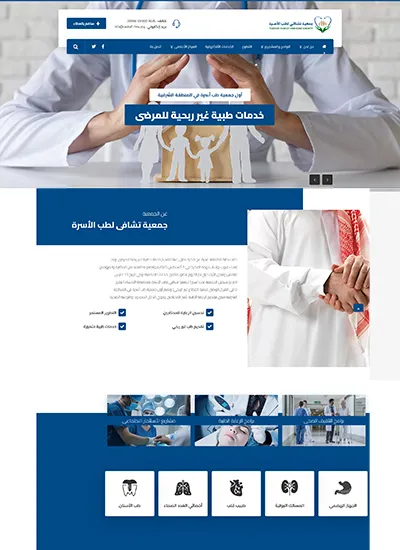
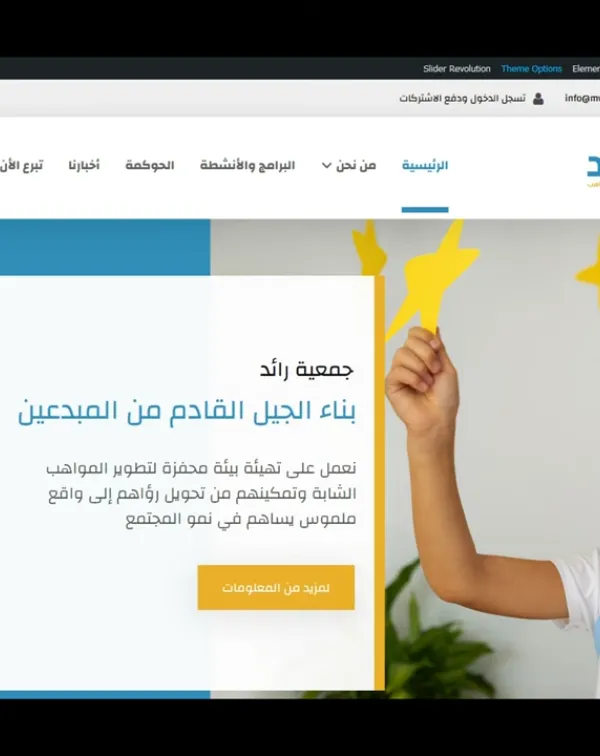
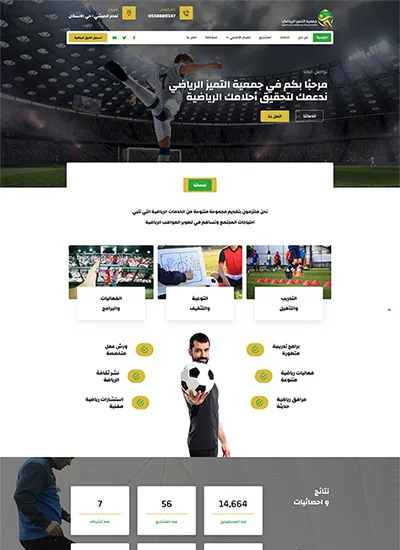
FAQ
Does a small association need a website?
Yes, even a simple one. Funders and partners check associations online, and the website is the official place to show the licence, programmes and reports.
What goes on the governance and transparency page?
Licence details, the board, approved bylaws and policies, annual and financial reports, and official contact channels.
Can donations be collected through the website?
The site can be connected to payment gateways or approved donation platforms in line with applicable regulations, with clear receipts and thank-you pages.
How often should content be updated?
Programme and activity news at least monthly, reports yearly, and social media on a regular weekly basis.
Sources

Written from 20+ years designing websites and identities for clients in Saudi Arabia and Egypt — every tip here comes from real projects.
Want this applied to your project?
Book a free consultation — we will review your site or brand and propose a clear plan.
Book a free consultation