
- Average basket abandonment worldwide is very high (around 70% according to Baymard research).
- The biggest reasons: unexpected extra costs, forced account creation, a long checkout and a lack of trust.
- Show shipping and taxes early, and enable guest checkout.
- Cut fields and steps, and offer local payment methods.
- Recover baskets with email or WhatsApp messages, with the customer’s consent.
Imagine a shop where seven out of every ten customers fill their basket, then leave it at the till and walk out. That’s what happens in most online stores. The good news: many of the reasons can be fixed.
Why do customers abandon their baskets?
| Reason | Fix |
|---|---|
| Unexpected extra costs (shipping, VAT, fees) | Show them on the product page and in the basket |
| Forced account creation | Guest checkout + optional account creation after the order |
| A long, complicated checkout | A single checkout page or a few steps |
| Lack of trust in the store | Security badges, clear policies, reviews, contact details |
| The preferred payment method is missing | mada, Apple Pay, deferred payment |
| Long or unknown delivery times | A clear expected timeframe and an express option |
| Errors or slowness on the site | Regular testing and speed on mobile |
| “I was only browsing” | A later reminder, with the customer’s consent |
12 fixes, ranked by impact
- Show the shipping cost early, with a free-shipping threshold.
- Enable guest checkout.
- Reduce checkout fields (address via a map or autocomplete).
- One-tap Apple Pay and mada.
- A clear progress bar through the checkout steps.
- Save the basket for a while until the customer returns.
- A clear returns policy next to the payment button.
- Security badges and payment method logos.
- Quick support via WhatsApp during checkout.
- Basket recovery messages.
- Improved speed on mobile.
- Testing checkout monthly on different devices.
Measure before and after
In Google Analytics 4, follow the purchase path: product view → add to basket → begin checkout → purchase. The biggest drop-off tells you where to work first. Read our GA4 guide.
Basket recovery messages
A customer who left products in their basket showed genuine interest, and winning them back is far cheaper than acquiring a new customer. Basket recovery messages (by email, WhatsApp or notifications, in line with the customer’s consent and the regulations) are among the most effective tools in ecommerce. A common sequence: a gentle reminder after an hour showing the products and their photos with a direct link to complete the order; then a message the next day addressing possible concerns (shipping, returns, warranty); then perhaps a final message with a small incentive for those who still haven’t completed. Don’t always lead with a discount, or customers will learn to abandon baskets deliberately to wait for one.
Surprises in the final cost
The reason shoppers cite most often for abandoning a basket is unexpected extra costs at the final step: high shipping, cash-on-delivery fees, or VAT that wasn’t clear. The fix is early transparency: show the shipping cost or free-shipping threshold on the product page, show a shipping calculator in the basket before checkout, and make clear that prices include VAT. Customers accept a cost they knew about in advance far more readily than a surprise.
Guest checkout
Forcing customers to create an account before buying is a big barrier, especially for first-time buyers. Allow guest checkout with a mobile number and email, then offer account creation after the order with a single tap (“Save your details for next time”). If an account is essential, make it a mobile number with a verification code, or Apple and Google sign-in, to cut the steps.
Trust at the moment of payment
A new customer hesitates before entering card details in a store they don’t know. Reinforce trust near the payment button: well-known payment methods, a security note, a link to the returns policy, a phone number or WhatsApp for help, and your commercial registration or verification if you have one. Read payment gateways.
Speed and errors
A slow basket page, a payment gateway that’s slow to redirect, or a vague error message kills the order on the spot. Monitor the speed of the basket and checkout pages on mobile, and test the purchase journey weekly, especially after any store update or new plugin. Read website speed.
From our work
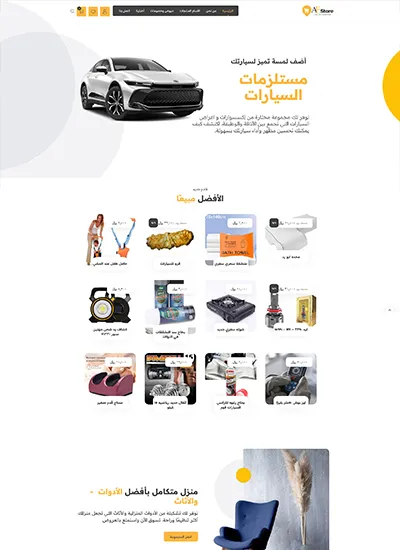
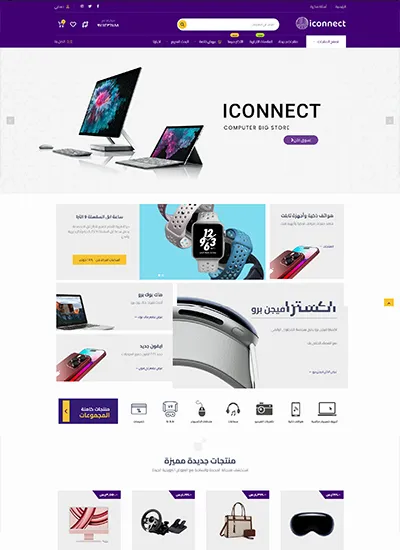
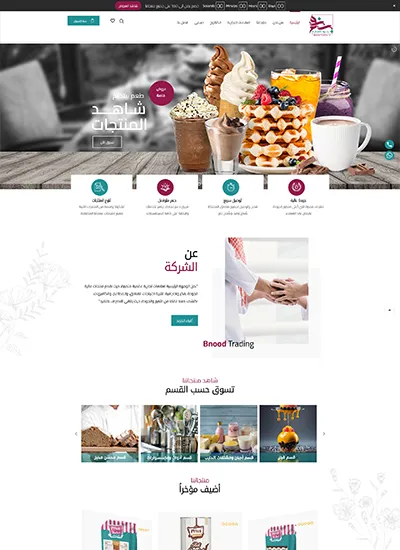
In the stores we build, we simplify the purchase journey to the fewest possible steps, enable guest checkout, integrate the payment methods common in Saudi Arabia, and test the whole journey on mobile before launch, as with Bnood and AEstore. Explore our online store service.
The basket on mobile
Most basket abandonment happens on mobile, because the small screen magnifies every obstacle: a long form, small buttons, fields that don’t bring up the numeric keypad, a slow-loading checkout, or a pop-up covering the button. Go through the entire purchase journey on your own phone and on a phone with the other operating system, with one finger, as if you were a customer in a hurry in the back of a taxi. Every moment of pause or hesitation is a point to improve.
Make use of browser and phone autofill: use the right field types (phone, email, address) so the device suggests the data automatically, offer one-tap payment through Apple Pay, and remember registered customers’ addresses. Every field the customer doesn’t have to type increases the chance they’ll complete the order.
Offers inside the basket
The basket is a good place for “Add X more for free shipping” or a small complementary product, but use it carefully: don’t fill the basket with offers that distract the customer from completing the order. One well-chosen offer helps; five offers confuse.
The psychology of abandonment
Some shoppers use the basket as a wish list or to compare prices, and won’t buy now whatever you do. But others hesitate for reasons you can address: doubts about quality (solved with reviews and photos), fear that returns will be difficult (solved with a clear policy), anxiety about paying online (solved with trusted, familiar payment methods), and uncertainty about size (solved with a size chart and advice). Learn from customers’ messages and questions which of these reasons is most common in your store, and start there.
The data: exactly where do your customers leave?
Before any improvement, find out where people leave. Enable ecommerce tracking in Google Analytics to see the purchase path: how many people added a product to the basket? How many reached checkout? How many entered shipping details? How many completed payment? The biggest jump between two steps is where you should start. If many leave when the shipping cost appears, the problem is shipping. If they leave at the gateway page, the problem may be payment or speed. Read our GA4 guide.
The practical summary
Transparent costs from the start, guest checkout, fast and trusted payment methods, fast pages on mobile, well-judged recovery messages, and precise measurement of the purchase path. Apply these one by one, measure the effect of each change, and you’ll see some of the orders that used to slip away begin to complete. Every small percentage you recover from abandoned baskets is sales from visitors you’ve already paid to attract.
A worked example: from basket to order
A customer browses a perfume store on her phone one evening, adds a perfume to her basket, then sees at checkout that shipping to her city costs 35 riyals she hadn’t expected, and that the store wants her to create an account with a password. She closes the page. In another store, she sees on the product page itself “Free shipping over 200 riyals”, so she adds a small perfume to reach the threshold, pays with Apple Pay in one tap without registering, and receives a WhatsApp message confirming the order with a tracking number. The same customer, the same desire to buy, and two completely different outcomes created by details in the basket experience.
Start today by buying from your own store on your phone, and note every moment of hesitation.
The bottom line
Every obstacle you remove between the customer and the “Complete order” button increases your sales without increasing traffic. Start with transparency, speed and easy payment. Read our payment gateway guide and conversion rate optimisation.
Real projects we delivered
FAQ
What is a normal basket abandonment rate?
Baymard Institute research points to an average close to 70% across multiple studies, but what matters is improving your own rate gradually.
Do basket recovery messages work?
Usually, yes — especially the first message within a few hours — provided the customer has agreed to be contacted and their privacy is respected.
Should I offer a discount in the recovery message?
Not always; sometimes a reminder alone is enough. Frequent discounts can teach customers to abandon their baskets on purpose.
Sources

Written from 20+ years designing websites and identities for clients in Saudi Arabia and Egypt — every tip here comes from real projects.
Want this applied to your project?
Book a free consultation — we will review your site or brand and propose a clear plan.
Book a free consultation