
- A launch isn’t the press of a button; it’s an organised review of every touchpoint.
- Test forms, email and WhatsApp yourself on different devices before the announcement.
- Set up technical SEO (sitemap, Search Console, structured data) from day one.
- Make sure you own the domain, the accounts and the passwords before anything else.
- Plan the thirty days after launch as carefully as the launch itself.
The hardest moment in any digital identity project isn’t the design, but the last few days before launch. Everyone is excited, management wants to announce, and the team is tired. And at exactly that moment, small mistakes slip through: a contact form sending to the inbox of an employee who has left, a WhatsApp sharing image showing the default theme logo, an English page someone forgot to translate, or official email landing in spam. Each mistake is small, but a customer seeing it for the first time doesn’t know that.
That’s why we work through a fixed review checklist on every project. We’re sharing it here in ten areas; you can print it and tick off each item.
Ownership and accounts
- The domain is registered in the company’s name and email, with auto-renewal enabled.
- You have direct access to the hosting account and domain dashboard.
- An administrator account on the website in the company’s name, not only the developer’s.
- Passwords are stored in a password manager, and two-factor authentication is enabled.
- Social media accounts are registered with company email and have more than one admin.
- The open identity files (AI, SVG, PDF) are stored in a central place.
Content
- No placeholder text (Lorem ipsum) on any page.
- The trading name is written the same way everywhere.
- Phone numbers and addresses are correct and up to date.
- Every image is real or licensed, and has alt text.
- Spelling and grammar have been checked in Arabic and English.
- Privacy policy and terms pages exist and suit your business.
- The copyright year in the footer updates automatically.
Forms and contact
- Submit the contact form yourself and check it reaches the right inbox.
- The confirmation message after sending is clear and polite.
- The WhatsApp button opens the right chat on mobile and desktop.
- Phone numbers are tappable on mobile.
- The website sends email through authenticated SMTP, not the server’s default function.
- Someone checks messages daily, and you’ve set a target response time.
Official email
- SPF, DKIM and DMARC records are configured. See our business email guide.
- You’ve sent a test email to Gmail and Outlook and it arrived in the inbox, not spam.
- The standard signature is applied to every account and displays well on mobile.
- Shared addresses such as info and sales forward to the right people.
Design and the mobile experience
- You’ve browsed every page on a real phone (iPhone and Android), not just an emulator.
- Menus open and close easily, and buttons are big enough for a finger.
- No page scrolls horizontally.
- Arabic fonts are clear, with no broken letterforms.
- RTL direction is correct in Arabic and LTR in English. Read Arabic user experience.
- The favicon shows the company logo.
Speed and performance
- A good mobile score in PageSpeed Insights, with Core Web Vitals in the good range.
- Images are compressed and in modern formats such as WebP.
- Caching is enabled.
- No unused plugins. For details, read website speed.
Technical SEO
- The website isn’t hidden from search engines (the “discourage indexing” option used during development has been switched off).
- Every page has a unique title and description.
- The XML sitemap works and has been submitted to Google Search Console.
- Structured data for the organisation, services and FAQs has been added. Read our Schema guide.
- 301 redirects from the old website’s URLs.
- Correct hreflang tags for the Arabic and English versions.
- An llms.txt file and clear pages for answer engines. Read SEO, AEO and GEO.
Sharing and social visibility
- A sharing image (Open Graph) for every main page, designed in the company’s identity.
- Try sharing the link on WhatsApp and LinkedIn and check the title and image.
- The social links on the website are correct, and the website links on the accounts are correct.
- Profile pictures and covers are updated with the new identity on every platform.
- Google Business Profile is updated with the logo, address and photos. Read local SEO.
Security and backups
- A valid SSL certificate, with every page opening over HTTPS.
- Automatic daily or weekly backups stored off the server.
- You’ve tried restoring a backup at least once.
- Plugins, theme and core are up to date.
- Login attempt limits and a firewall. Read WordPress security.
- Temporary development files and tools have been removed from the server.
Measurement
- Google Analytics 4 is installed and recording visits. Read our GA4 guide.
- Conversion events are defined: form submission, WhatsApp tap, call.
- Ad platform pixels are installed if you’ll be advertising.
- A simple dashboard you review weekly.
Print and non-digital materials
A digital identity doesn’t stop at the screen. Before the announcement, make sure business cards, letterheads, invoices, the proposal template and the company profile carry the new identity and the new website and email addresses. Don’t forget external signage and vehicles if you have them. A customer who sees a new identity on the website and an old one on the invoice senses disorganisation.
A plan for the first 30 days after launch
| Period | Task |
|---|---|
| Days 1–3 | Monitor errors, forms and email daily; fix anything immediately |
| Week 1 | Announce to existing customers by email and social media, and update signatures |
| Week 2 | Review Search Console: have the pages been indexed? Are there errors? |
| Week 3 | Publish the first article or case study, and start the content plan |
| Week 4 | First report: traffic, sources, conversions and top pages |
The most common launch mistakes
| Mistake | Result | Prevention |
|---|---|---|
| Forgetting to switch off “discourage indexing” | The website doesn’t appear on Google for weeks | A fixed item on the checklist |
| Unauthenticated form email | Enquiries lost in spam | SMTP and a real test |
| No redirects | Old URLs lose their rankings | A 301 redirect map |
| A default sharing image | An unprofessional impression every time a link is shared | Designed OG images |
| Announcing before a holiday | Nobody answers the first enquiries | Launch at the start of the week |
Who should review the checklist?
The best reviewer is someone who didn’t work on the project: they see the website as a new customer would, and notice what the team has grown used to and no longer sees. Give them the checklist and their own phone, and ask them to complete three tasks: find a particular service, send an enquiry, and share a link on WhatsApp. Then sit with them for ten minutes. You’ll always find something worth fixing before the announcement.
The checklist for online stores
If you’re launching a store, add to the checklist: a complete test order with every payment method, checking shipping calculations for several cities, order confirmation and invoice messages arriving, VAT displaying correctly, the policy pages (shipping, returns, privacy) linked along the purchase path, and correct stock for every product. Read the E-Commerce Law.
Printing the checklist and ticking off every item takes an hour, and saves weeks of embarrassment and corrections after the announcement.
The checklist for bilingual websites
If the website is in Arabic and English, repeat the checklist for both versions: forms and confirmation messages in the page’s language, a language switcher that goes to the same page, titles, descriptions and sharing images for each language, and correct hreflang tags. Read bilingual websites.
A calm, organised launch is the best advert for your company in its first days online. And the checklist works for every future launch too, so save it and share it with your team.
The bottom line
A successful launch is a boring launch: no surprises, because everything has been reviewed. Use this checklist, involve someone from outside the team in testing, and plan the first month. If you’d like a team that handles the identity, website, email and social media and works through this checklist for you, that’s a core part of the complete digital identity service. Also read launching a start-up’s digital presence, or get in touch.
Real projects we delivered
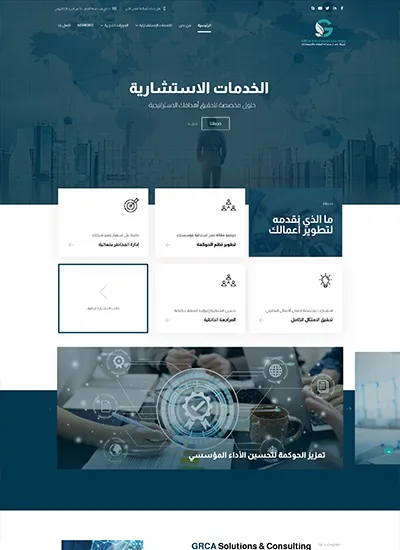

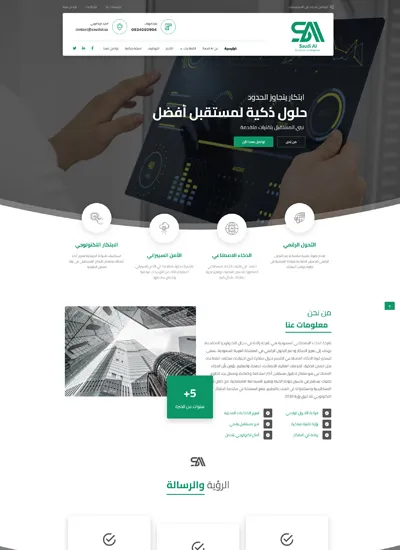
FAQ
When should I announce the new website?
Once the checklist is complete and the forms and email have been tested; ideally launch at the start of a working week rather than before a holiday, so the team is available to fix anything.
Should I delete the old website straight away?
Not before setting up 301 redirects from its old URLs to the new ones and keeping a full backup of it.
Who should review the checklist?
Someone outside the delivery team who sees the website as a customer would, together with the technical lead and the content lead.

Written from 20+ years designing websites and identities for clients in Saudi Arabia and Egypt — every tip here comes from real projects.
Want this applied to your project?
Book a free consultation — we will review your site or brand and propose a clear plan.
Book a free consultation